Showing posts with label GPencil. Show all posts

Sunday, January 14, 2024

LOL... The "Genius" Developer Who Created Grease Pencil?! 😂

Was pretty chuffed to get sent a link to a YT video the other day with a pretty fun title LOL 😂😂😂


https://www.youtube.com/watch?v=H6XqricCPPY


Wednesday, December 27, 2017

Grease Pencil Dev - FAQ's, Current Status, etc.

In response to a bug report in the tracker, I ended up posting a long-ish reply that I thought would be good for more people to see, since it probably gives a bit more insight into some of the work that's going on "behind the scenes" atm. So, without further ado, here's a copy of my reply.

(For more of a user-orientated look at what functionality we've been adding, check out Antonio's code.blender.org post)

Sunday, September 10, 2017

[Vote for Me] New Video Describing my PhD Research for #150YOD

Blender community batsignal!   

TL,DR: Please help vote for my #150YOD video (deadline is Thursday/Friday midnight, UTC+12)! Every vote counts!


Like, Share, and Vote (link below)

Vote for my video at the following link:
https://www.thinkable.org/submission_entries/k8Way5qO

Voting Instructions (sorry, that it's a bit of a long-winded process):
1. Go to the competition website
2. Click the "Vote" button
3. Register on the site (Facebook or Email + Name + Password)
4. (If using email, check your email/spam folders, and Activate the account)
5. Back on the competition website, click the "Vote" button again.

Note: You haven't voted until the button says "Remove Vote" and your name appears on the list

Monday, March 13, 2017

Breakdowner/GP Sequence Interpolation Ideas

While working on some recent improvements for the Breakdowner, I started daydreaming (as you do, when in full feature development mode, which is one of the things I love most about this process/work ;) about some ideas for how we could make these things even more awesome than they were already.

In case you haven't kept up with the latest developments in Blender, there are now two sets of tools with Breakdowner-like functionality:
1) The Pose Breakdowner (and the related "Push" and "Relax" tools)
2) The GPencil Interpolate and Interpolate Sequence operators

This post looks into what we could do for both of these - first common features, and then stuff that's more specific to the GPencil case (since it's newer functionality, which also has heaps more room that we can explore).

Oh, and just in case/before any gets confused, THE FOLLOWING CONTENTS OF THIS POST ARE ALL ENTIRELY HYPOTHETICAL/IDEAS ONLY. There's no guarantee than any of this will be implemented, though I'm curious how well they would turn out if I did :)


Saturday, February 4, 2017

Blender Dev Updates - 21 Jan

(EDIT: I originally meant to post this a few weeks ago, but it's taken a while to get around to finishing the demo materials included here... but, PhD work takes priority, again...)

This week I took some time out from my PhD work (argh, creating questionaires is such a pain) to get through a bunch of simple new features I'd been meaning to code during my break... that is until continuing my holidays took priority ;)  But with the announcement that we would be pursuing a 2.79 after all, it was time to brush off the plans and get these features in.

Most of the new features are Grease Pencil related... (Some but not all of them can be seen here)

But, there's also stuff for all animators too...


Monday, August 29, 2016

Grease Pencil - Reproject Strokes tool

Yesterday, inspired by Matias's blog post about storyboarding using Grease Pencil, I hacked together a little tool to fix up your Grease Pencil sketches when you find that you'd accidentally moved the 3D cursor around while drawing, causing all the strokes to be splayed out in weird places in 3D space.

Here's a video showing off how and when to use it (thanks to Matias for letting me use the file from the blog for testing :)


From the video description and commit log:
This operator helps fix up this mess by taking the selected strokes, projecting them to screenspace (i.e. "flattening" the strokes back on to the screen), and then putting them back out into 3D space again. As a result, it should be as if you had directly drawn the whole thing again, from the current viewpoint, but without losing the pressure/strength info.

Unfortunately, if there was originally some depth information present (i.e. you already started reshaping the sketch in 3D), then that will get lost during this process. But so far, my tests indicate that this seems to work well enough.

Friday, August 5, 2016

GPencil V2 Has Landed

In case you've missed the news, Antonio's "Grease Pencil v2" branch landed in master earlier today. Check out the upcoming nightly builds for the new goodies :)

And now for some obligatory doodles I made while giving the tools a bit of a shake down :)


Friday, July 8, 2016

Boom! New Animation Features - 7 July 2016

Boom! I've just pushed a bunch of features I've been working on to master. Some of these are things that you've been asking for for a long time too, so be sure to keep an eye out on the nightly builds coming out soon :)

Here's a quick list of the recent highlights:
* Animation Editors: Object datablocks are now sorted alphabetically by default  - I suddenly figured out a way to minimise the potential performance hit of having this enabled, so now you don't have to suffer with having you objects ordered however the old depsgraph thought they should be ordered (yes, that's the reason why the old ordering was as crazy as it was... blame the old depsy!)

* Dopesheet: Added "Moving Hold" as a keyframe type - Note that this will also automatically show "long keyframe" indicators between these keyframes (as you get with normal holds), so you can see at a glance where these are

* Dopesheet: Keyframe size can be adjusted as part of theme settings - For those who've been saying that by default the keyframes are bit hard to select

* Delta Transforms
   1) Added operators to make it easier to "Freeze" the current transform (either Loc/Rot/Scale together, or just Loc, Rot, or Scale by itself) into the Delta Transforms, leaving the normal transforms zeroed out again. These can be found in the Apply (Ctrl-A) menu
   2) The "Animated Transforms to Deltas" tool is now located in the Apply menu too, to make it easier to find it relative to the new tools


And from a few weeks back (for good measure):
* Ctrl-Shift-C: Made it easier to add constraints between bones in different armatures  - When the second object selected is an armature in pose mode with an active bone, the Ctrl-Shift-C operator for adding constraints will be able to pick the bone in the second armature as the target. Previously, it would only go as far as using the object

* FCurve Auto Colours: "XYZ to RGB" works for Quaternions too now  - The "W" channel uses a Yellow colour (blended from the X and Y axis colours).  (Note: If I knew what I know now, we would have had some stuff in place to ensure that colour animation was done in any colour space other than sRGB - even HSV as used here would be a lot better for a lot of people)

* Dopesheet: Circle and Lasso select now work  - These were relatively new additions to the Graph Editor (like only added in the past 1-2 years, from Gooseberry or so), so that's why they weren't there for the dopesheet yet

* GPencil: Eraser respects "Selection Mask" when in EditMode


I've got a bunch of other stuff planned, but for now, I'm not sure when I'll have time to get around to them yet. Hopefully soon (fingers crossed) :)

Happy animating!

Sunday, May 8, 2016

CHI2016 - Sketching Papers, and General Discussion of Interesting Research Directions

The annual CHI (Human-Computer Interaction) conference is on this week in San Jose. As one of the "big + important" conferences in Computer Science research, it's always interesting/important to keep an eye on what's happening there to see if there any interesting things come out of it. So, I duly started checking out the accepted papers, before stumbling across the "sketching" section.

My first thought was, "woah... they have a section on interfaces for sketching tools?!", followed quickly by, "I wonder if there's anything of interest there...?" It turns out that there are two papers here, both of which fall quite squarely into the frame of the type and style of research that I love doing most (i.e. the "fun stuff" I'm doing with Grease Pencil + Pose Sculpting/Sketching, vs the empirical work I currently do for my PhD).

So, what were these papers?
1)  "Skuid: Sketching Dynamic Illustrations Using the Principles of 2D Animation"
2)  "Storeoboard: Sketching Stereoscopic Storyboards"


Sunday, May 1, 2016

GPencil Anim Test - "Curls"

While testing Antonio's patch for fixing the way that fills for concave shapes get drawn, I got inspired to create a little animation of some of these shapes in motion!


While testing the patch, I kept running into some issues with certain U-shaped filled strokes, where there would randomly be some extra triangles getting created. After drawing heaps of those recently, to figure out whether there were any trends/reasons for this to fail, I realised that they would look pretty awesome in motion.... So, I had a bit of fun + relaxation doing some straight-ahead animation with Grease Pencil :)


Saturday, April 9, 2016

Grease Pencil Fun - "Hedgehogs" Character Sketches

I had a bit of fun this evening doing some little sketches of my "hedgehog" characters using Grease Pencil (with Antonio's stroke quality tweaks, as found now in master). I gotta say, the stroke quality improvements really do seem to make a massive difference for making these strokes feel a lot nicer to draw with!

First up, introducing Mr Russ Prickles!


Russ' Briefcase - He works for Prickles Industries Ltd. - doing what, no-one knows...

I came up with the basic character design for these a few years ago while attending some particularly boring talks, while some of the characters/elements are ideas I've been toying with on and off for over a decade. They were originally going to be part of a little short film (or more specifically, the opening sequence of that) - with Russ hitchhiking his way home along a deserted, grass-lined moonlit highway, carrying his briefcase, back to his family in the hedgehog colony in the woods. Also, all of this was to have played out against the backdrop of Roger Whittaker's "Good Morning Starshine".


Monday, March 21, 2016

Blender 2.77 Released

After weeks of delays as we continued to find regressions (including quite a few from OpenGL related code cleanups), Blender 2.77 has finally been released!


Perhaps one of the big highlights of this release is that it features all the new Grease Pencil features and development that I've been working on for the past few months. In particular, this includes all the stroke sculpting, UI tweaks, and many other cool things this brings!

Enjoy!

Tuesday, February 9, 2016

CNY2016 "Monkey" - Blender Bugs Retrospective

As usual, while trying to actually make some art with Blender, I came across a whole bunch of bizarre and sometimes nasty bugs which got in the way a bit. Since posting the video, I've begun investigating and fixing these - though in a few cases, it's not so straightforward to fix.

While some of these are the big usual suspects (e.g. it would be really great for poor draftsmen like myself to have "autocomplete" working, and the having the ability to parent strokes to objects/bones would really help for doing things like calculating motion paths), there were also a number of interesting "smaller" issues which came up repeatedly.

As this list was starting to get a bit long, I decided to split it out into its own post instead.


Monday, February 8, 2016

Happy Chinese New Year!


It's that time of the year again! Today is the first day of the Chinese New Year celebrations. As you may have guessed from the video above, it's the year of the monkey this year (following on from the year of the sheep).  Who knows, this may well be another very awesome year for Blender ;)

For fun, I put together a little short greeting video this afternoon using Grease Pencil. I'm still quite terrible at doing 2D animation - keeping characters on model, drawing them from more than a few "easy" angles, timing, drawing using a tablet, etc. - but I'm quite pleased with how this turned out!


Tuesday, December 29, 2015

Grease Pencil Roadmap - 2016 Plans

Wow, it's already the end of December! The year has really flown right by, and so it should when you're having fun! :)  As it's the end of the year, it's also time to do some customary "year end retrospectives". The first of these is for Grease Pencil. (There will also be another on general Animation System stuff too).


Monday, December 14, 2015

Grease Pencil News - Stroke Sculpting, etc. Now in Master

Breaking news! This evening I merged the work that's been going on in the GPencil_Editing_Stage3 branch to master! Keep an eye out for the test builds coming out from later today or tomorrow to get your hands on these new features.


In other news, as promised, I've uploaded a video demonstrating how the "Additive Drawing" option can be used. I've got a few other demos of this I'd like to record + upload, but there are some other more pressing issues to deal with in the meantime. So I'll get to those when I can.


Monday, December 7, 2015

Grease Pencil - Lookdev Doodles

Just some after-work doodles with Grease Pencil, playing around with different colours and what effects can be achieved by playing around with different brush settings :)


As always, it was a great exercise for checking on the state of things. From personal experience, I can attest to how "dog fooding" (as it's often called in the software industry) is one of the best/most efficient ways for developers to pick up problems and/or workflow bottlenecks in their work!

Tuesday, December 1, 2015

Grease Pencil News Roundup: November - Early December

There's been quite a lot of exciting developments and experiments around Grease Pencil in recent weeks! I thought I'd just take a moment to highlight some of those that have caught my eye :)

If you haven't already, check out some of Daniel's latest tests:
Little Fire Lady

GP - "Little fire lady" combining Grease Pencil and VSE (Fan art, Miyuli) from psl on Vimeo.
 
 
GP - "Smile Take - Little fire lady" using Grease Pencil sculpt tools (Fan art, Miyuli) from psl on Vimeo.

Tuesday, November 10, 2015

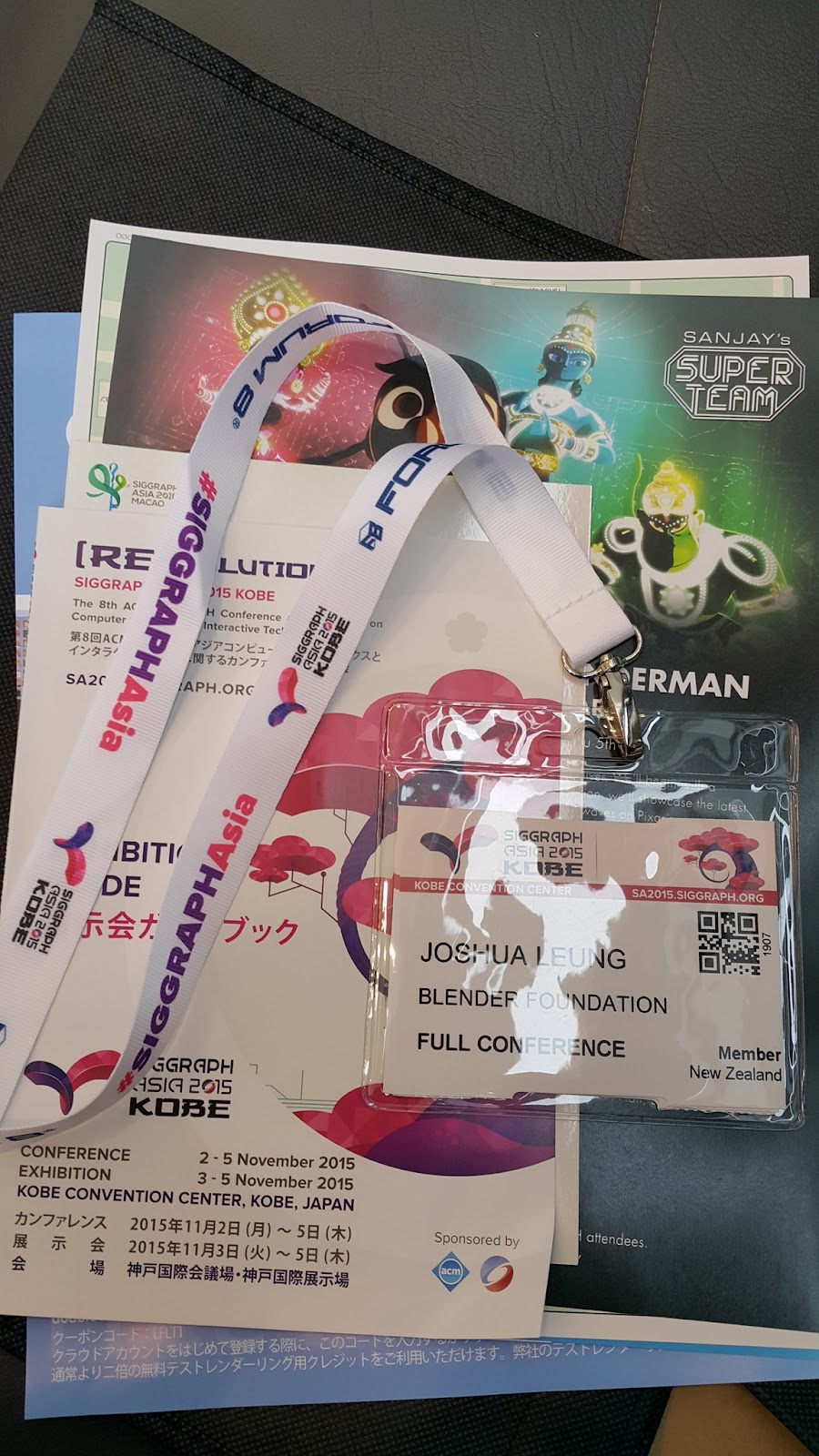
Siggraph Asia 2015 - Overall Trip Report

Last week, I spent a wonderful week in Kobe, Japan attending Siggraph Asia 2015! I was there to present my first paper at an international conference - "Grease Pencil: Integrating Animated Freehand Drawings into 3D Production Environments", staying at the Portopia Hotel.

The paper can be downloaded from the first link above. Please use the ACM DL version one, since that's the official one which keeps count of the download stats ;)


The conference was held in a mixture of venues around the hotel where I was staying:
  • Most conference talks/sessions were held in the International Conference Center building, which was located across the courtyard from the hotel, and accessible via a covered walkway.
  • Registration, Posters, and the Exhibition (i.e. trade show) were held across the road at the International Exhibition Hall No. 2
  • Keynote #1 and Reception were held in the Portopia Hotel (Portopia Hall, and Grand Banquet room respectively)
  • Computer Animation Festival (Production Sessions, Electronic Theatre) were held in the hall on the ground floor of the conference center (entrance off the courtyard)
Apparently this was the largest Siggraph Asia to date, with around 7000 attendees coming for the conference/exhibition. I don't know the actual figures as I don't think they actually released those, but this was the ballpark figure they were claiming in earlier press releases.